DeepPhe Visualizer — quick guide
Build a cohort, review patient results, then explore an individual patient.
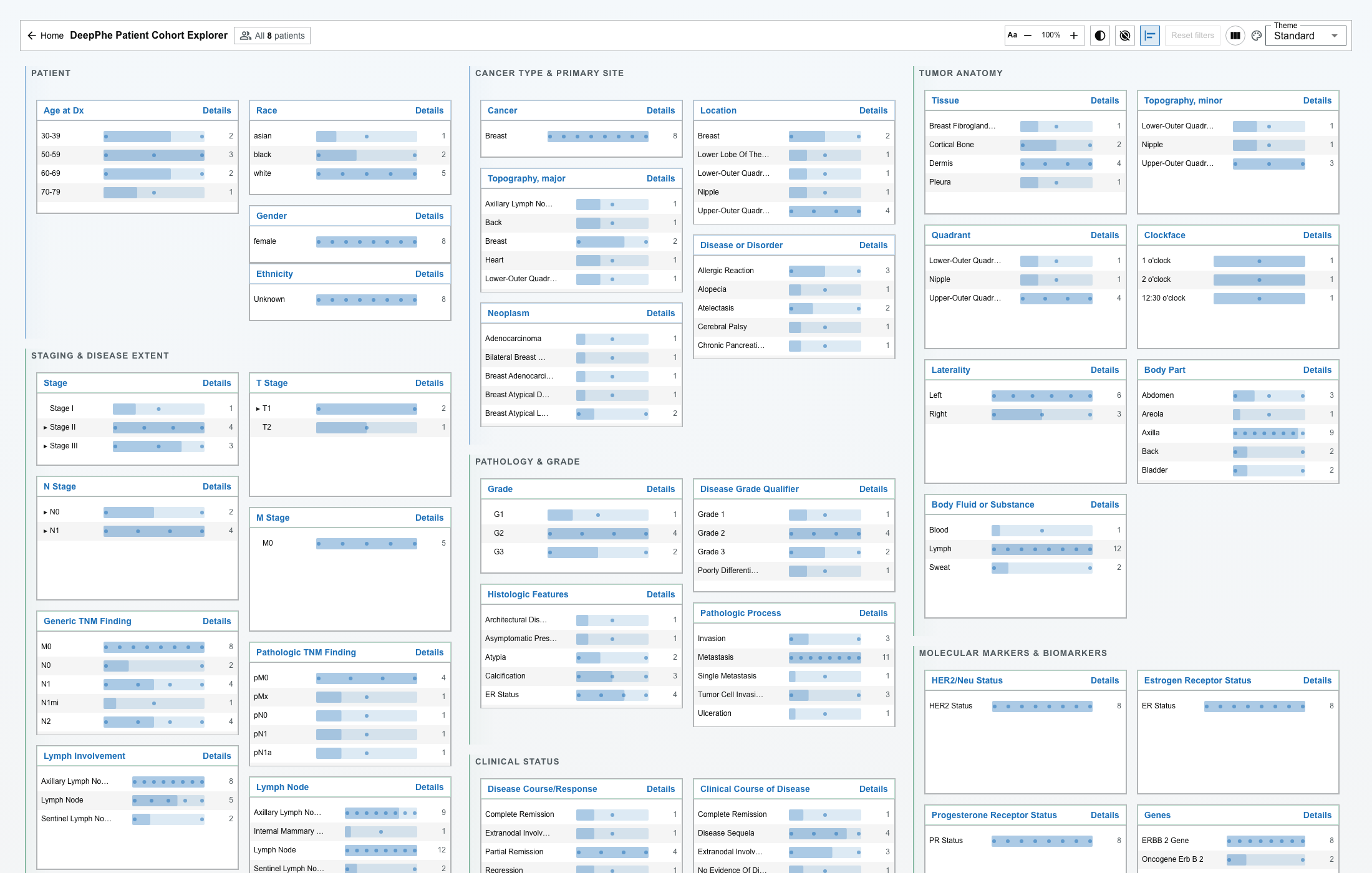
1. Build a cohort
- Find a filter card and select a value.
- Add values in the same card as alternatives (OR).
- Add selections from different cards to narrow the cohort (AND).
- The toolbar shows All N patients, then N of total patients selected.
- A value that can no longer add a matching patient is disabled; a value you already selected stays removable.
- Select a value again to remove it. Reset filters clears all selections.
- After criteria are active, a value may read
included / total— how many of that value's patients remain in the cohort.

2. Low-count patient dots
When a value represents 20 or fewer patients, each patient is a dot. Hover a dot to preview the patient; click a dot on a card to open that patient as a drawer tab (this never changes the cohort). Bars behind dots adds a faint bar for scale.
3. Review patient results
Open the Selected Patients drawer. It loads 10 patients per page (40 when maximized).
- Search and sort apply to the loaded page only.
- Click a row to expand it; only one row is expanded at a time.
- Indicators: negated, historic, uncertain, conflicted, and source.

4. Explore a patient
Open a patient from a dot or from Show in Document Viewer in an expanded row.
- Patient Summary items that resolve to notes are links: a single source opens directly; a multi-source item opens a confidence-ranked picker.
- On the timeline, click a document to open it; the open note has a larger ringed marker, and fact-linked notes have dashed outlines.
- In the Document Viewer, filter highlights with Concept List, Group Filter (CHECK ALL / UNCHECK ALL), and Confidence Filter (By Mention / By Concept).
5. Export
CSV export includes the currently loaded page only, after its search and sort, with visible columns.
Important limitations
- Available filters depend on the loaded dataset and services.
- Extracted concepts and structured findings may require validation against source notes.
- An absent value is not a confirmed negative clinical fact.
- Exported files may contain patient-identifying information; handle them accordingly.